Key Relevance Review of Google Automatic Match – Measuring the Cost of Skipping Keyword Research

by Jim Gilbert and Mike Churchill of Key Relevance

Automatic Match is Google’s new feature that allows AdWords managers to receive clicks in their PPC campaigns without the need to select specific keywords. According to Google:


Automatic matching

Automatic matching is an optional feature that helps your ads reach targeted traffic missed by your keyword lists. It works by analyzing the content of the landing pages, ads, and keywords in your ad group and shows your ads on search queries relevant to this information.

The automatic matching system continually monitors your ad performance and aims to show your ads only on queries that yield a comparable or better cost-per-click (CPC) than that of your current traffic. Automatic matching will only use your unspent budget and will never deliver more traffic than your budget allows for.


In two previous posts, Jim took a somewhat negative shot at Google’s “Automatic Match” feature, with little to go on but past experience with “new features”.


Well, we’re back and have the results of our real-life testing of this new feature.

After a fairly lengthy process of testing “Automatic Match”, we can now report these facts — Facts at the time of this writing, but Google can always change at any moment without warning or notice.

Facts:

  1. The following statement is still true, so be on the lookout for when Google rolls “Automatic Match” out to your account!
    Quote from an Official Google email dated 23May2008: “The feature will be enabled by default..” – see Automatic Match to be Default
  2. Automatic Match does not start spending immediately… once activated, it takes up to a couple weeks for it to learn what it thinks it should do. So, don’t get complacent if it does don’t start spending on Day One — KEEP TABS — it could take off like a rocket at any time.
  3. Google’s “Automatic Match” IS greedier than expanded broad match! See our original post at: More Greedy than Expanded Broad Match
  4. Still true (if you notice when it shows up): But there is GOOD news — you can OPT out!

    Look for this in your Campaign Settings:


  5. Automatic Match is especially invasive in adgroups that have relatively few keywords.
  6. You can “negate” bad impressions and clicks with negative keywords — if you keep very, very close tabs on them. We use the PPCProbe keyword tool to allow us real-time tracking of the search phrases.

NOW, some actual results:

The Scenario:
One adgroup with 1 PHRASE match keyword, residing in a campaign enabled for automatic match.

The Results:

  • Adgroup spend increased 600%! That’s right… 600%!

While the increase in spend in and of itself is not a bad thing (assuming that’s why we were using Automatic Match in the first place), there is a problem with ther results of our test: spending more money is a good thing only if it is bringing targeted traffic to the site. One of the shortcomings of using Automatic Match is that you don’t get to see the search terms that the searchers are using in the Campaign/AdGroups management screen. We used PPCProbe to allow us to gain the insight into the actual search terms that Automatic Match was matching to in real time.

  • 88% of all clicks were from “Automatic Match”. Only 12% were from the actual phrase match keyword. The CPC of the Automatic Match keywords was a little cheaper than the CPC of the actual phrase in the account, but…
  • The majority (4 out of 5) of “Automatic Match” clicks came from keywords I consider to be not relevant. As we shall see, this makes the Effective CPC much worse in our case.

We ran our test with a single phrase match term in the AdGroup: “wedding table decorations”. Of the clicks collected during our test, clicks for the phrases in the AdGroup broke down as follows:


Category Example Percentage of Clicks
Actual Phrase from AdGroup
(non-Auto Match – Very Relevant Hits)
“wedding table decorations” 11.9%
Automatic Match (Relevant Hits) “weddiing table decor”
“decorations for wedding tables”
“wedding cake table decorations”
“wedding table ideas”
7.5%
Automatic Match (Non-Relevant/Close Hits) “table settings”
“party table numbers”
“table numbers for weddings”
9.0%
Automatic Match (Non-Relevant Hits) Chocolate “Hersheys”
“chocolate wedding favors”
“chocolate lollipops”
10.4%
Automatic Match (Non-Relevant Hits) Flowers “wedding flowers”
“wedding florists”
“wedding lily flowers”
47.8%
Automatic Match (Non-Relevant Hits) Wedding Gowns “discount wedding gowns”
“discount wedding dresses”
3.0%
Other (Non-Relevant Hits)   10.4%


As result, if we consider the Actual Phrases, the Automatch Hits, and the Near Misses (to give the benefit of the doubt – it is just a computer making these KW decisions and we are being lazy by using Automatic Match in the first place), you can see that only 28.4% of the ad spend generated relevant traffic to the site. This effectively made the CPC of the KW buys in this AdGroup 3.5 times more expensive with Automatic Match turned on compared to manually selecting keywords because of the ad spend wasted on the mis-targeted Keyword clicks.

So, where are these mismatched keywords coming from? Are chocolates, flowers and wedding gowns featured on the landing page for the AdGroup? The short answer is “No”. The word “flower” is mentioned once in the plain text of the page, the words “hershey” and “chocolate” appear in the sidebar navigation that points to other pages of the site, and the words “gown” and “dress” are not on the page at all. None of these off-target keywords appeared in the AdWords Ad Copy or anywhere else in the AdGroup. A new AdGroup was created for this test, so no deleted words were previously in the AdGroup. From this we conclude that Automatic Match seems to be using a variation of the Expanded Broad Match algorithm.

Recommendations

  • Turn Automatic Matching off until you understand the ramifications of what it will do to your ad spend, traffic, and conversions.
  • If you should decide to use it, watch it closely, and track the actual phrases that are being used to drive traffic to the site.
  • Be prepared for nothing to happen on the Automatic Match lines of your AdGroups immediately – Automatic Match takes some time to “kick in”.
  • Compute an “effective CPC” [total $$ / (total clicks – off-target Automatch clicks)] for the AdGroup. Once you discount the off-target traffic you will be better able to determine the real cost of using Automatic Matching in your ad campaign.
Pay Per Click

Washington Post covers Corporate Blogging

Wondering if a company blog is right for your company? Wondering if your company is ready for a company blog?

The Washington Post tackles the highs and lows of corporate blogging in an article this week, Marketing Moves to the Blogosphere. Writer Sarah Halzack pulls in several examples of how businesses big and small are blogging successfully:

  • A company called Honest Tea used its blog to address customer concerns after Coca-Cola bought a large stake in its business.
  • Marriott CEO Bill Marriott’s blog is such a success that the company is able to track reservations it generates: “Marriott has made more than $5 million in bookings from people who clicked through to the reservation page from Marriott’s blog.”
  • A web development company called Viget Labs uses its blogs as a tool for recruiting new employees.
  • Dolcezza, a small ice cream, uses its blog to bring people into its stores and spend money. “When his second store opened in Bethesda in July, Duncan used his blog to advertise an opening night ice cream giveaway. He ended up serving over 300 gallons of ice cream to more than 1,000 customers that night.”

The article also includes some tips on handling comments and other things to think about before starting a company blog. It’s a good read, especially if that’s the position you’re in today.

Google Announces AdWords Enhancements – Real Time Quality Score Calcs and No More Minimum Bid

By Mike Churchill and Jim Gilbert

Google announced some upcoming AdWords changes that affect the way that they handle the Quality Score calculations. These changes have been made to improve the accuracy of the Quality Score calculations and to improve the usability of the AdWords accounts. They were announced on 21 August 2008, and will initially be rolled out to a few PPC customers for feedback, with the rollout to the full AdWords client base occurring over the next two months.

There are four enhancements announced:

Quality Score Timeliness

Google will now be calculating the Quality Score for your ad each time it matches a search query. In the past, the Quality Score was only recalculated periodically, which could cause some lag in the improvement to Quality Score once the problems were corrected. By calculating the Quality Score “on-the-fly” your ads will be more likely to display when relevant (and less likely to display when not).

“Minimum Bid” to be Retired (but not really)

The Minimum Bid calculation was added to Google AdWords about three years ago (July 2005), and has been the bane of many PPC advertisers. We believe that the Minimum Bid calculation was a work-saving measure that allowed Google to limit the number of phrases to be considered for a particular search query and provide better speed-of-service to the searcher. As a result, though, many phases would be turned off, and an inattentive PPC manager could be caught unawares. Users of the Google API and the offline AdWords Editor will still see the Minimum Bid field until these tools are updated, so while they no longer show in the Google GUI, they are still being calculated (based on the new Quality Score calculations).

As a part of the real-time Quality Score improvements, in the GUI, the Minimum Bid metric is being replaced with….
Continue reading

SES San Jose: 12 Fast, Free and Easy Tools

image of toolsKeyRelevance will be well represented next week at Search Engine Strategies in San Jose. Our company president, Christine Churchill will be speaking Wednesday on the “Keywords & Content: Search Marketing Foundations” and “Advanced Paid Search Techniques” panels, and on Friday is giving a four-hour training workshop, “Making Pay Per Click Pay – Best Practices in Pay Per Click Advertising.” Also Wednesday, Li Evans will be speaking on the “Successful Tactics for Social Media Optimization” panel.

It’s my turn on Thursday, when I’ll be giving a starter-level presentation on the “Fast, Free and Easy Tools to Get You Going” panel. This is part of the Just the Basics track, geared toward anyone who’s new to search engine marketing. While we’re all going to be advocating the use of tools to make your search marketing life easier, I’m reminding myself to emphasize that tools aren’t a replacement for individual analysis. Tools shouldn’t make the decisions for you; they should make it a little easier for you to make your own decisions.

If you can’t be there on Thursday, here’s a roundup of the tools I’ll be introducing in my presentation:

SEO Tools

Firefox web browser
SEO for Firefox plugin
Search Status plugin

When I think of SEO tools, Firefox is the first thing that comes to mind. There are so many terrific plugins that make site analysis and competitive research easier. I almost thought about doing my whole presentation on Firefox and its great SEO plugins, but ultimately decided to cover a wider variety of tools. Such as…

Keyword Research Tools

Keyword Discovery
SEO Book Keyword Research Tool

Keyword Discovery has been my keyword research tool of choice for a couple years now. The paid version offers some great features in an easy-to-use interface. The link above is to the free version, which has fewer features than a paid account, but is still a good tool to use for basic keyword research. And the SEO Book tool is a great complement that people should be aware of, too.

There are lots of other great keyword research tools, but my fellow panelists are planning to mention some of them, and we’ve agreed not to repeat one another.

Backlink Tools

Yahoo! Site Explorer
Link Diagnosis

The search engines are pretty stingy about revealing all the backlinks they’re aware of. Of the three main engines, Yahoo’s Site Explorer is considered the most comprehensive and reliable, so I’ll be mentioning that as an official source of checking for backlinks. Among the other tools, my favorite is Link Diagnosis. It shows backlinks, the anchor text of those backlinks, which pages on your site appear to have the most backlinks, and so forth. These tools can also be used to help local link building opportunities, but I’ll be mentioning tools for that purpose separately.

Link Building Tools

Hub Finder
Traffic Marks

The idea behind both of these tools is similar: They examine the backlinks of the highest-ranking sites for your keyword and reveal what sites are linking to those high-ranking sites. This helps you locate “hub” sites — sites that would make a great place to get a backlink to your site. If you’re interested in more background, I recently wrote a fairly detailed Traffic Marks review on Small Business Search Marketing.

PPC Tools

Local Keyword List Generator

I don’t do much PPC work, plus my fellow panelists are going to be discussing some of the more well-known PPC tools. So I’m going to share this one — it’s a favorite of mine. If you do geo-targeted PPC, this might be a real time saver. With this tool, you supply a zip code, radius, and your keywords and the tool spits out a list of keywords you can use in your PPC campaign. It takes the zip code and radius you supply, and locates all the city and town names in that geographic area, then concatenates them with the keywords you provided to create your keyword list. Pretty cool.

Domain Tools

Domain Tools

Yep, the name of the tool in the domain tools category is “Domain Tools.” Clever, eh? Anyway, it’s simply the best place I know of to research registered domains. It’ll tell you the WHOIS data, of course, but also a lot more about the domain, too: the Title tag of the home page, the meta description text, how many internal and external links are on the home page, whether the domain is listed in DMOZ and the Yahoo! Directory, and so much more.

Spider Tools

SEO-Browser

This is one of a couple different tools that will show you how a search engine spider “sees” your web page. I’m including it in my presentation because it goes beyond that to also include some extra data like link counts, word count, page size and load speed, and things like that.

—–

So, that’s it. Twelve tools, 24 slides, and I have 10-12 minutes to fit it all in. No problem! It’s been fun working with fellow presenters Scott Allen and Joe Abraham. We’re making sure there are no repeats in our presentations, so the attendees should learn a lot of different options for their SEO and PPC needs.

If you’ll be at SES next week, please do say hello to Christine, Li, and/or myself — we’d be glad to meet you and say hello!

(photo courtesy batega, via Creative Commons)

Can Businesses Combat the Constant, Experienced Complainer?

By Liana “Li” Evans

As a business, no doubt you will have your run in with an upset customer or two. But what happens when that customer turns into a troll? Or what happens when you are subjected to the “experienced complainer”?

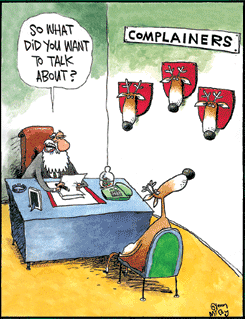
Santa with the Reindeer ComplainerWhat’s an experienced complainer? Well those are the people who know how to “troll” the system. Knowing that if they complain enough, they’ll be placated with discounts, coupons, certificates, and special things all to “soothe” their complaints. They then figure out they can do this just about anywhere they go. All of a sudden, seemingly or magically they get free trips, special discounts, and the like, all because they threaten to write a letter of complaint. These days, even more damaging, they threaten to write a negative review on sites like Yelp, TripAdvisor or Epinions, or even possibly more damaging – write a blog post with a scathing review, with links to your website that are nofollowed.

As customers, I’m sure we’ve seen these types of people. Nothing ever makes them happy, not even free things (undoubtedly they’ll find something wrong with that, too). So what’s a company to do? How can they fight back? Can they takes steps to protect their good name and reputation from these types of complainers, scammers and trolls?

Seems helpless doesn’t it? Well take heart, people in these social communities are smart. Especially if you are making an honest effort to communicate with your audience and reaching out to them. They can smell a “troll” a mile away. They can peg a constant complainer usually within 2-5 posts on a forum or a blog, and they can certainly use their own voice to “out” them as the scammer they seem to be.

Is there anything else you can do? Well in this day and age of digital photos, videos and instant reviews by bloggers and review sites, you do need to do your do diligence before taking extreme actions against the constant complainers. Research and documentation into them is probably the best course of action, to proove that the complainer has a history of “never being happy”.

Take the case of Royal Caribbean Cruise Lines and a couple from Cleveland. I wrote about them on SearchMarketingGurus. This couple has done nothing but complain for years and were “soothed” with discounts, special packages and percentages off – all because they were Diamond Club members. I did a little poking around in forums, and the wife seems to leave a wide path of complaints all over the place. The communities even call her a whiner.

Royal Caribbean seems to have done a bit of homework here, and felt they’d never be able to make this couple happy. Guess what they did? They banned the couple from taking cruises on their cruise line for life. Drastic? Perhaps, but it does alleviate the issue dealing with a customer who seems more out to take advantage of your business than anything else.

While banning customers from your business might not be the first option you want to take, it is there if you have the need to do so, but prepare for backlash, undoubtedly the customer will play the victim in the end. In the case of Royal Caribbean, the local news interviewed the wife about the distressing news RC banned them, and a website or two came to her defense, saying complaining to much got them banned. But looking at other sites, the wife has been outted as a “constant whiner” – so who’s right? I guess that’s up to Royal Caribbean’s customers and online community to make their decision with their wallets.

If you are active with your audience, talking to them, interacting with them in social media, believe it or not a lot of times your customers will take up your defense. So the lesson to be learned here is hold an honest conversation with your customers or audience, as they say, the best defense, is a great offense.

Yahoo Conversion Problem?

by Jim Gilbert

If you have advertised on Yahoo’s Panama for any length of time or managed multiple accounts there, you may have seen (in many account cases) a deterioration in conversion performance in search.

We are talking search here — not the content network.

I just finished investigating this issue on several accounts today and found a very interesting fact:

Of all the clicks coming from these accounts on Yahoo Panama, only 33.7% were actually from Yahoo — the rest (66.3%) were from Yahoo’s Search Network!

So Yahoo’s search network delivers more traffic than Yahoo search? Yep, in many cases this appears to be an absolute fact.

“So who cares”, you say?

You should! Yahoo’s search network (and Google’s for that matter) is not chunked full of brand name properties to put it politely — to be a bit rude many are “scummy”. So, conversion performance from Yahoo is 66.3% search network which just DOES NOT convert as well as search.